

Description
This earth moon sun unit bundle is perfect for middle school science! This Earth Moon Sun System unit bundle is perfect for introducing and reviewing a unit on moon phases, seasons and tides. This bundle is great for an Earth Space Science class. The unit bundle contains a PowerPoint Lesson, Guided Notes, Assessment, self-grading task cards, choice board, warm ups, stations activities, print activities and digital interactive lessons that can all be used with Google Slides or Google Forms!
Content covered:
⭐ What is the Earth Moon Sun system?
⭐ Orbit vs Revolution
⭐ Effect of gravity
⭐ Seasons and Earth’s tilted axis
⭐ Moon Phases
⭐ Lunar Eclipse
⭐ Solar Eclipse
⭐ Tides on Earth
Included in the Bundle:
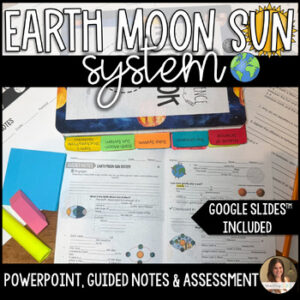
1. Lesson, Guided Notes & Assessment
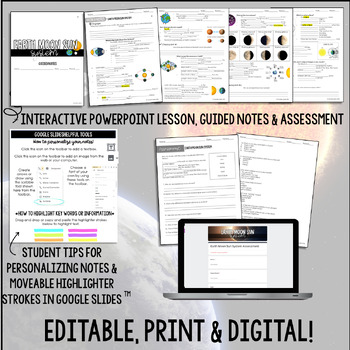
Do you need a resource to introduce the Earth Moon Sun System to your Earth Space class that covers Moon phases, eclipses, tides and gravity? This resource contains a PowerPoint lesson with Cornell notes style guided notes and an assessment that all tie together. This resource is excellent for traditional and digital interactive science notebooks. The PowerPoint and guided notes are also included in Google Slides which make this a perfect digital resource for online learning! There is also a self-grading Google Forms assessment. This is a no prep resource!
The PowerPoint Lesson and guided notes are broken up into 4 different parts:
❔ Engage: This is a question that is used to get students thinking and engaged before the lesson begins. They answer the question in their guided notes.
☑ Checkpoints: These are questions throughout the lesson that assess what students are learning as they go through. The student’s answer these questions in their guided notes. Answer key is included in the PowerPoint.
↵ Bringing it Back: This final question wraps up the lesson by tying student’s new knowledge with the engagement piece.
✐Summarize! Students can summarize their learning by writing, drawing or both.
All links for the Google Slides and Google Forms are included in the resource.
The PowerPoint is editable. The titles, images and clip art are not editable.
Guided Notes:
The Cornell style guided notes follow along with the lesson. This allows the students to go through the lesson with the class as the teacher goes through the slides or they can fill it out independently if they are using the PowerPoint digitally. All the text aside from the title and cover page are editable.
Includes two cover pages for interactive notebook booklets. One in color and one in black and white.
The Google Slides version of the notes includes text boxes for students to add in their own text. A Google Slides “toolbox” is included for students to reference to for changing fonts, adding images, drawings, etc. There are even drag and drop highlighter marks for students to make their notes more interactive.
*There is an included answer key for the guided notes to be easily printed and added to a teacher’s copy of an interactive science notebook.
Assessment:
The assessment contains 20 questions with a mix of vocabulary matching, short answer and multiple choice questions. An answer key is included. Everything is editable except for the title and any included clip art lip art.
A Google Slides version is included as well as a self-grading Google Forms version. The links are included in the resource.
Also aligns to Florida SC.8.E.5.7 – Compare and contrast the properties of objects in the Solar System including the Sun, planets, and moons to those of Earth, such as gravitational force, distance from the Sun, speed, movement, temperature, and atmospheric conditions.
2. Task Cards
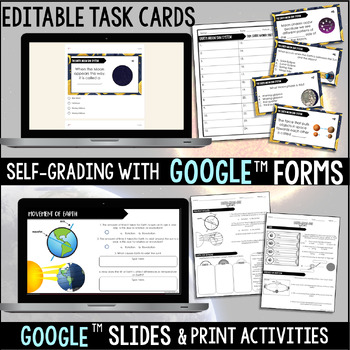
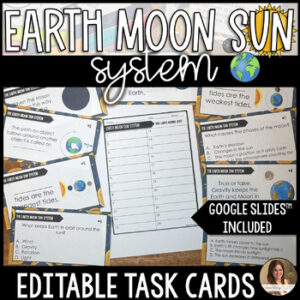
These 24 Earth Moon Sun System task cards can be used in a classroom or digitally for distance learning through Google Forms with no prep. They are editable and even self-grading! Perfect for a middle school earth science or earth space science class. They can be easily printed, cut and laminated for use in the classroom with a ready-to-print student answer sheet.
Review vocabulary and key concepts related to gravity, moon phases, eclipses, tides, seasons, Earth’s tilt and more. The link for Google Forms is available in the resource. An answer key is included in the resource and in Google Forms.
Task cards can be printed 1 per page or 4 per page. The answer sheet can be printed 1 per page or 2 per page to save paper. I typically print 2 per page so they’re perfect for gluing into interactive notebooks.
*Please note that the text is editable in each task card but the titles and clip art are not editable.
Also aligns to Florida SC.8.E.5.7 – Compare and contrast the properties of objects in the Solar System including the Sun, planets, and moons to those of Earth, such as gravitational force, distance from the Sun, speed, movement, temperature, and atmospheric conditions
Low Prep. Easy to Use. Classroom-Ready.
These task cards require minimal prep and can be used immediately. Simply print and go or assign digitally for an automatic grading option with Google Slides that saves you valuable time.
No complicated setup. No extra materials needed.
So Many Ways to Use These Science Task Cards:
- Gallery Walks
- Sub Plans
- Homework
- Classwork
- Partner Work
- Whole-Class Review
- Science Stations
- Vocabulary Practice
- Test Prep (Florida SSA, Texas STAAR, NGSS)
- Homeschool Science Activity
- Spiral Review
- Small Group Intervention
- Early Finisher Activity
- Interactive Science Notebook Activity
Why Task Cards Work So Well in Middle School Science
Task cards:
- Promote active learning and movement
- Encourage student accountability
- Support differentiated instruction
- Reinforce academic vocabulary
- Make formative assessment quick and simple
- Reduce grading time with self-checking options
- Help break up longer lessons into manageable chunks
- Keep review sessions engaging and focused
Students stay involved and you stay stress-free.
3. Choice Board
This choice activities menu allows students to choose a Earth-Moon-Sun System project of their choice. The differentiation of activities provides students with autonomy in their learning and presentation of knowledge. The project will assess knowledge of seasons, lunar phases, eclipses and more. Perfect for an Earth Science or Earth Space Middle School Science class.
Included in this resource:
✅ 1 editable choice board with 9 activities to choose from.
✅ 1 editable rubric.
✅ 1 color and 1 black/white version for printing.
✅ Editable PowerPoint file for editing
✅ PDF file for printing
✅ Link to Google Slides version for Google Classroom
This choice board is editable to suit the needs of you and your students. Students can also submit most of the activities digitally through Google Classroom or Canvas.
General teacher directions and the choice board are included in PowerPoint format for easy editing. There are no rubrics included within the resource for their individual choice activities. Only one rubric that can work for any of the project choices.
Why Teachers Love Middle School Science Choice Boards
✔ Encourages student ownership and voice
✔ Makes differentiation simple and manageable
✔ Works for independent work, partners, or small groups
✔ Supports multiple learning styles and strengths
✔ Perfect for enrichment, review, early finishers, or end-of-unit projects
✔ Saves planning time with ready-to-use materials
Classroom Benefits
This resource helps you:
• Differentiate without creating multiple assignments
• Increase student engagement and motivation
• Encourage creativity while maintaining academic rigor
• Assess mastery in multiple formats
• Support collaborative and independent learners
• Provide structure while still allowing flexibility
💡 Perfect For:
- End-of-unit assessments
- Test Prep (Florida SSA, Texas STAAR, NGSS)
- Homeschool Science Activity
- Formative or Summative Assessment
- Review activities
- Sub plans
- Project-based learning
- Early finishers
- Enrichment or extension activities
*Only the choice options are editable. Fonts and clip art are not editable due to copyright.*
Options include:
✅ Designing a Moon phases 3D model
✅ Creating a video to show how eclipses work
✅ Writing a song about the Earth Moon Sun system
✅ Making a game
✅ Creating a flipbook
✅ and more!
4. Warm ups/Exit Tickets
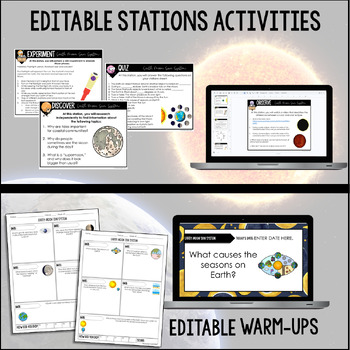
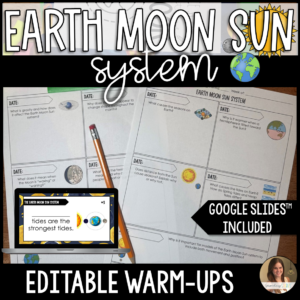
2 weeks of Earth Moon Sun System warm ups. These could also be used as exit tickets! Digital or print versions are perfect for a mitosis vs meiosis unit in your Earth Science or Earth Space Science class with no prep! Use these as bell ringers to get your students ready for the day or end the class with a ticket out the door. Google Slides versions are also included for online learning!
Each question is in short or long response format so students explain the topic and show their understanding.
Also aligns to Florida SC.8.E.5.7 – Compare and contrast the properties of objects in the Solar System including the Sun, planets, and moons to those of Earth, such as gravitational force, distance from the Sun, speed, movement, temperature, and atmospheric conditions.
There are 3 ways to use these editable warm ups/exit tickets:
1. Use them with slides as students fill out the answers on their own personal answer sheet.
2. Use the answer sheets with the questions on them without the slides. I personally have my students hole punch them each week to add into a pronged folder or binder to use as a study tool. You can even print them at 90% so students can glue them into their interactive science notebooks!
3. Use them for online learning or digitally with the Google Slides version. This is also perfect for digital interactive student notebooks.
A PowerPoint version is included for editing and a PDF version is included for easy printing.
*The questions are editable but the fonts and clip art are not due to copyright.*
Included in this resource:
✅ 2 weeks of warm ups/exit tickets (10 total).
✅ 3 editable templates to fit the needs of you and your students
✅ PowerPoint Slides with the questions to project for your students
✅ Answer key
5. Stations Activities
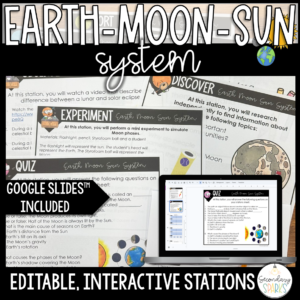
Do you need differentiated Earth Moon Sun stations activities for your earth’s systems unit? Perfect for a middle school Earth Space science class. This resource will help you reach and assess your students in a multitude of ways. This resource includes 7 stations with minimal prep involved. There is a printable version, editable PowerPoint version and a Digital Google Slides™ version that will help you save on time and paper!
Also aligns to Florida SC.8.E.5.7 – Compare and contrast the properties of objects in the Solar System including the Sun, planets, and moons to those of Earth, such as gravitational force, distance from the Sun, speed, movement, temperature, and atmospheric conditions
The 7 types of Heredity and Inheritance Stations Activities include:
1. Discover – Students will research real-world application of the Earth Moon Sun System
2. Observe – Students will observe a video about solar vs lunar eclipses
3. Experiment – Students will simulate Moon phases
4. Write – Students will explain their answers to questions in 2-3 sentences.
5. Create – Students will create an infographic about eclipses
6. Sort – Students will sort images of the lunar phases with their titles
7. Quiz – Students will answer a mix of 8 true/false, multiple choice and short answer questions.
*Each station should take students between 8-10 minutes to complete.*
This resource includes:
- Digital Google Slides™ link to perform stations online.
- Printable version of stations in color and black/white
- Editable PowerPoint version of stations.
6. Google Slides & Print Activities
This is a print and digital resource that uses Google Slides. There are 6 interactive Earth-Moon-Sun system activities. Includes moon phases, eclipses, tides, and more! These activities are perfect for an Earth and Space Science class with no prep! Perfect for online learning.
Use these activities for:
- Sub Plans
- Test Prep (Florida SSA, Texas STAAR, NGSS)
- Homeschool Science Activity
- Online Learning
- Homework
- Independent review
- Stations
- Interactive Notebook Activity
- Early Finishers
Students will practice vocabulary skills, make real-world connections, research independently, understand visual representations and review concepts.
The activities include either drag and drop or short answer text. Watch the preview video to get a better idea of how each slide works.
The slides and print version are not editable. An answer key is included in the PDF as well as the Google Slides link.
7.***BONUS*** Moon Phases with Cookies Activity!
A fun food lab to review:
•Moon Phases
•Eclipses
•Tides on Earth
Related Blog Post: 13 Classroom Tested Tips for Teaching the Earth Moon Sun System in Middle School
Reviews
There are no reviews yet.